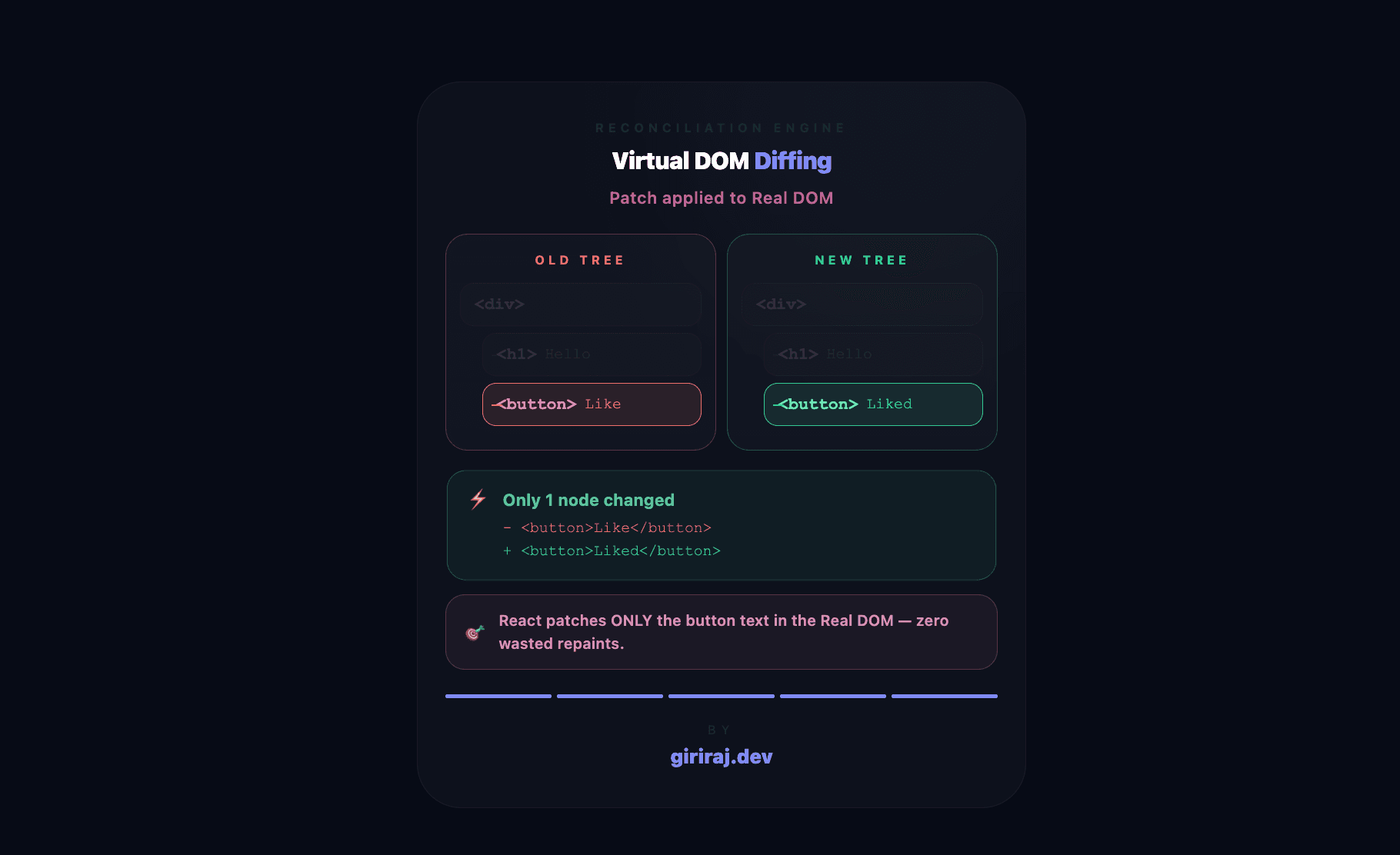
Why React Needed a Virtual DOM
Before understanding Virtual DOM, we first need to understand the problem React was trying to solve.
Web pages are built using something called the DOM (Document Object Model). The browser converts HTML into a tree-like structure that JavaScript can read and modify.
For small websites, updating the DOM directly is usually fine. But modern applications are huge. Imagine:
- Instagram feed updates
- Chat applications
- Realtime dashboards
- Animations
- Notifications
In these apps, the UI changes constantly.
The problem is that updating the Real DOM frequently is expensive. Every update can trigger:
- Layout recalculation
- Repainting
- Re-rendering
- Browser reflow work
Doing this repeatedly can make applications slow.
React introduced the Virtual DOM to reduce unnecessary DOM updates.
What is the Real DOM?
The Real DOM is the actual structure created by the browser from your HTML.
For example:
1<div>
2  <h1>Hello</h1>
3  <button>Like</button>
4</div>
The browser converts this into a tree structure internally.
Whenever JavaScript changes something, the browser may need to recalculate layouts and repaint parts of the page.
This becomes expensive when updates happen very frequently.
What is the Virtual DOM?
The Virtual DOM is a lightweight JavaScript representation of the Real DOM.
Instead of directly changing the browser DOM every time something updates, React first updates this lightweight virtual version.
React then compares the old Virtual DOM with the new Virtual DOM and figures out exactly what changed.
Only the required changes are finally applied to the Real DOM.
This reduces unnecessary updates and improves performance.
Real DOM vs Virtual DOM
Section A — DOM Tree
Section B — React Flow
Section C — Key Concept
Virtual DOM is a lightweight JS representation of the real DOM — React diffs it first, then updates only what changed.
Initial Render Process
When a React application loads for the first time, React creates a Virtual DOM tree from your components.
For example:
1function App() {
2  return (
3    <div>
4      <h1>Hello</h1>
5      <button>Like</button>
6    </div>
7  );
8}
React converts this component into a Virtual DOM tree.
Then React creates the actual Real DOM elements and inserts them into the browser.
This process is called the initial render.
What Happens When State Changes?
React components re-render whenever state or props change.
For example:
1const [count, setCount] = useState(0);
2
3<button onClick={() => setCount(count + 1)}>
4  {count}
5</button>
When the button is clicked, React does not directly update the Real DOM immediately.
Instead, React creates a brand new Virtual DOM tree.
Now React has:
- Old Virtual DOM
- New Virtual DOM
The next step is comparison.
What is Diffing?
Diffing means comparing the old Virtual DOM tree with the new Virtual DOM tree.
React checks:
- Which elements changed?
- Which text changed?
- Which elements stayed the same?
This comparison process is also called reconciliation.
The goal is simple:
Find the minimum number of changes required.
Minimal DOM Updates
After diffing finishes, React updates only the changed parts of the Real DOM.
For example, if only a button text changed, React updates only that text node instead of rebuilding the entire page.
This selective updating is one of the biggest reasons React applications feel fast.
Instead of blindly rebuilding everything, React performs smart updates.
React Render → Diff → Commit Flow
At a high level, React follows this lifecycle:
- Component renders
- Virtual DOM tree created
- State or props change
- New Virtual DOM tree created
- Diffing compares old and new trees
- Minimal changes identified
- Changes committed to Real DOM
This entire process happens very quickly behind the scenes.
As developers, we simply describe what the UI should look like, and React efficiently handles the updates.
Why Does This Improve Performance?
The Virtual DOM itself is not magically faster than the browser DOM.
The real advantage is that React avoids unnecessary expensive DOM operations.
React minimizes:
- Direct DOM manipulation
- Layout recalculations
- Reflows
- Unnecessary repaints
By updating only what actually changed, React applications remain efficient even when interfaces become complex.
Conclusion
The Virtual DOM is one of React’s most important ideas.
Instead of directly manipulating the browser DOM repeatedly, React creates lightweight Virtual DOM trees, compares changes using diffing, and applies only minimal updates to the Real DOM.
This gives developers a simpler programming model while helping applications stay fast and responsive.
You do not need to memorize React internals immediately.
The most important thing to understand is the mental model:
React creates UI snapshots, compares them, and updates only what changed.